How to find homes on the map
In short
Open the map, choose Rent or Buy and narrow it down with the chips above the map. Click a pin or a card for a quick look, and save the search once it looks right: Bytky then watches it for you. Looking around needs no account; saving needs a free one.
Some of it needs a free account · Checked against the product on
Step by step
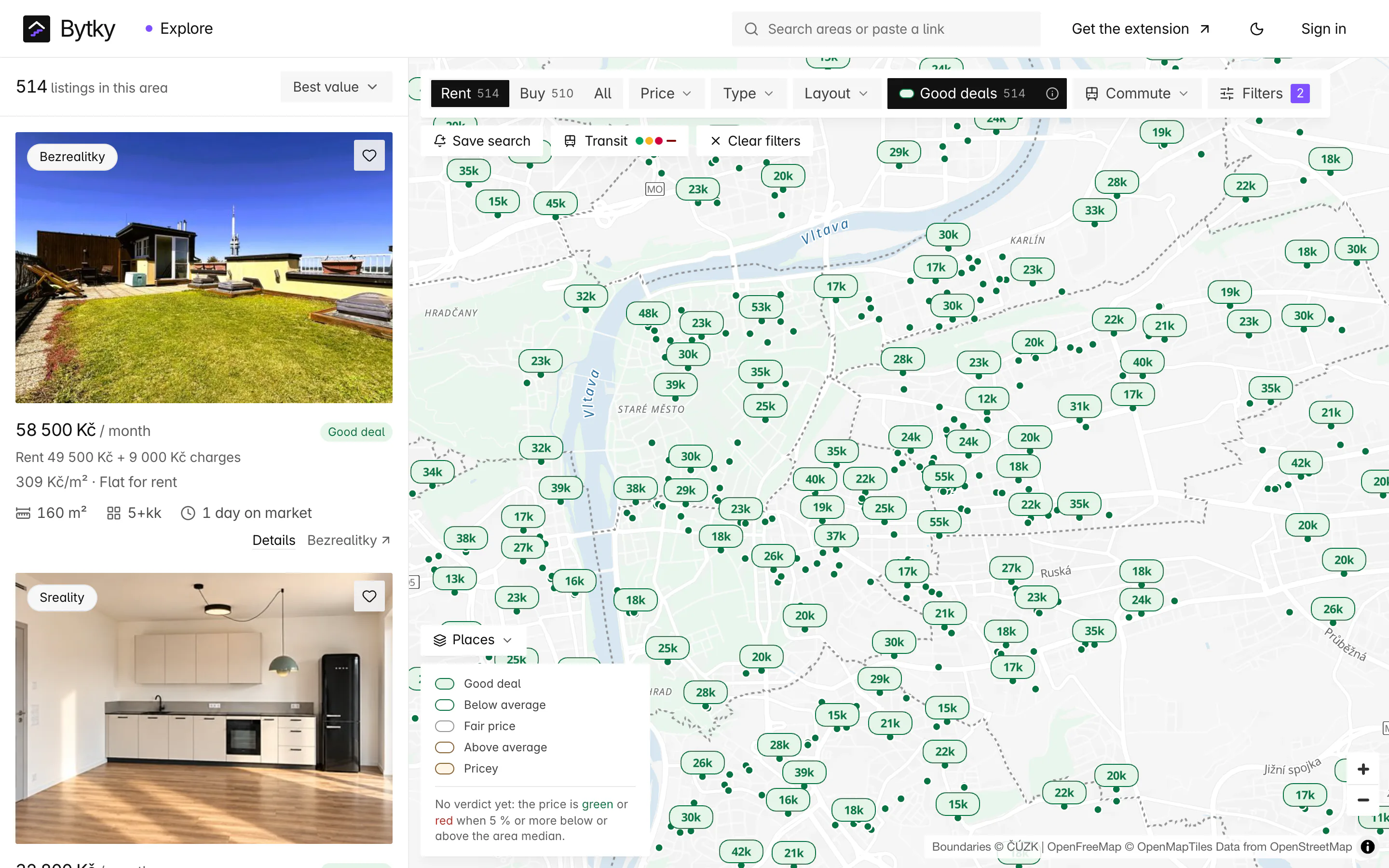
Say what you're after
Choose Rent or Buy, then use the quick filters: Price, Type, Layout, Good deals and Commute. Filters opens the rest: the home, deal and timing, the neighbourhood, the listing itself and, for flats for sale, investment.
Move the map
Pan and zoom, or search a town or district at the top. The list beside the map follows what's in view, and bubbles group nearby listings: click one to zoom in.
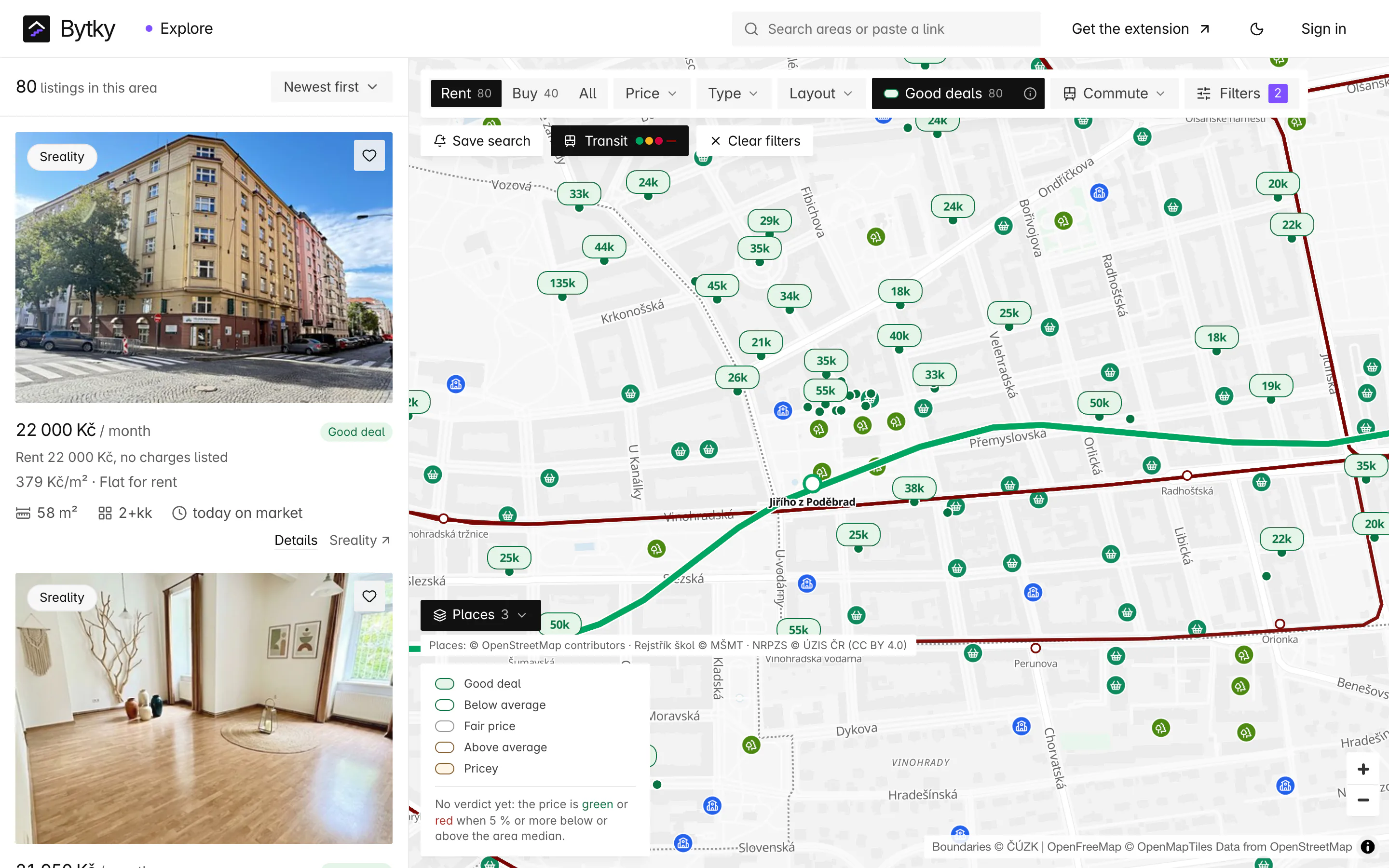
Turn on layers
Transit draws the metro and tram lines, Yield shows gross rental yield on flats for sale, and Places adds schools, doctors, shops and more. Hide listings clears the pins so you can read the layers.
Take a quick look
Click a pin or a card. The panel shows the price, the fair-price verdict and the monthly cost, with Previous listing and Next listing to step through the results, Copy link, Open full page and the heart to save it.
Sort the list
Sort listings by newest, price, price per m² or best value, and with a commute filter on, by the shortest commute. Searches for flats to buy can also sort by the highest yield.
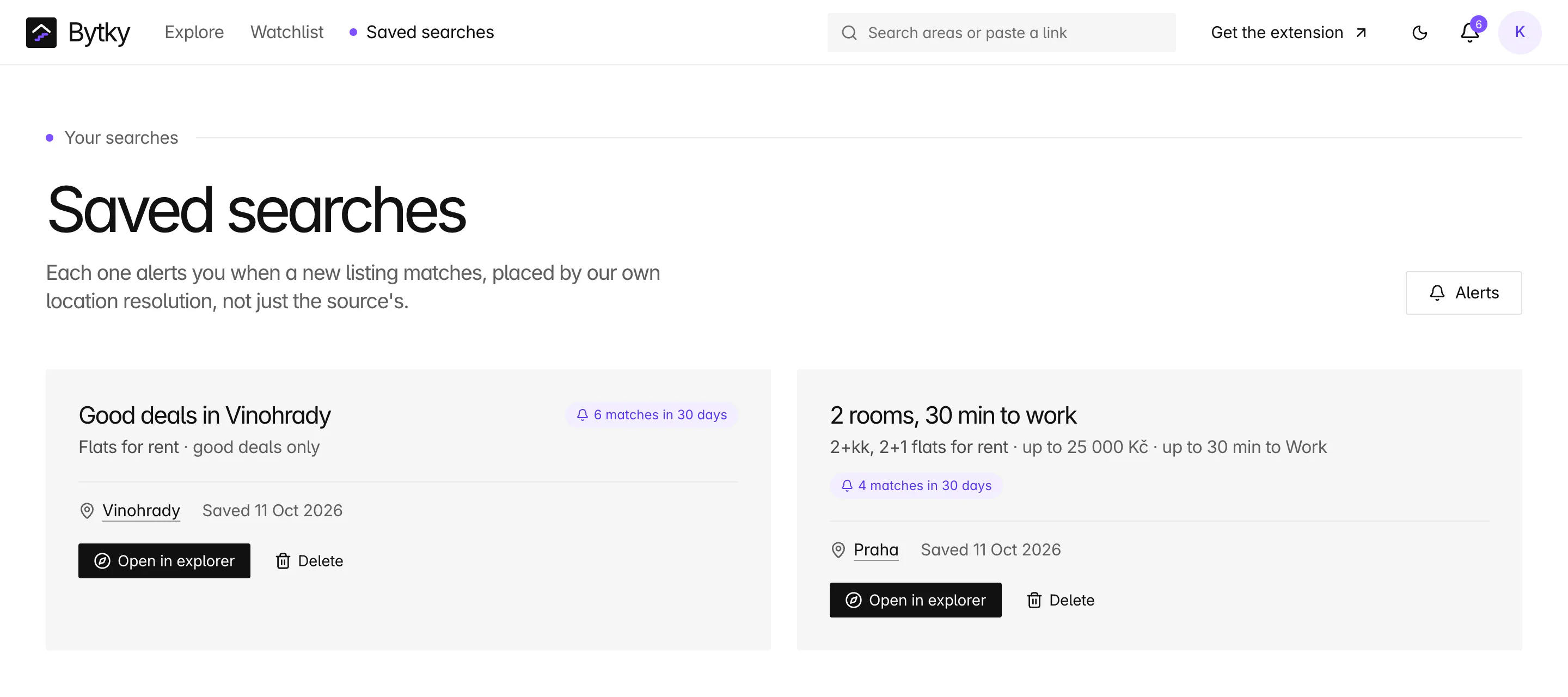
Save the search
Save search asks for a name, whether to keep only good deals, and where: the part of the map in view, or a town or district. Save it for just you or for your household, and new matches arrive as alerts.
Good to know
- Paste a listing's link into the search box at the top to go straight to its Bytky page.
- Right-click the map (or press and hold on a phone) to see where you can get to from that spot, or to price a home there.
- The map shows up to 2,000 listings at once. If it says it's showing the first ones, zoom in.
More films
Questions
Common questions
Do I need an account to use the map?
No. Everything on the map works signed out. Saving a search, saving homes and the commute filter need a free account.
How many searches can I save?
Two on a free account, and searches you add to a household count towards them. Bytky Plus lifts the limit. Reaching it never deletes anything.
Can I change a saved search?
Not yet. Open it in the explorer, change what you need, save it as a new search and delete the old one in Saved searches.
Keep going
Related guides
- Fair price and dealsRead the fair-price verdict, the comparable homes, negotiation room, price history and the real monthly cost.
- Saved searches and alertsSave a search, choose how often you hear about new matches, and set quiet hours.
- Getting aroundSave the places you travel to, filter and sort by commute, and see how far you get from any home.