How do I get alerts for new flats and price drops?
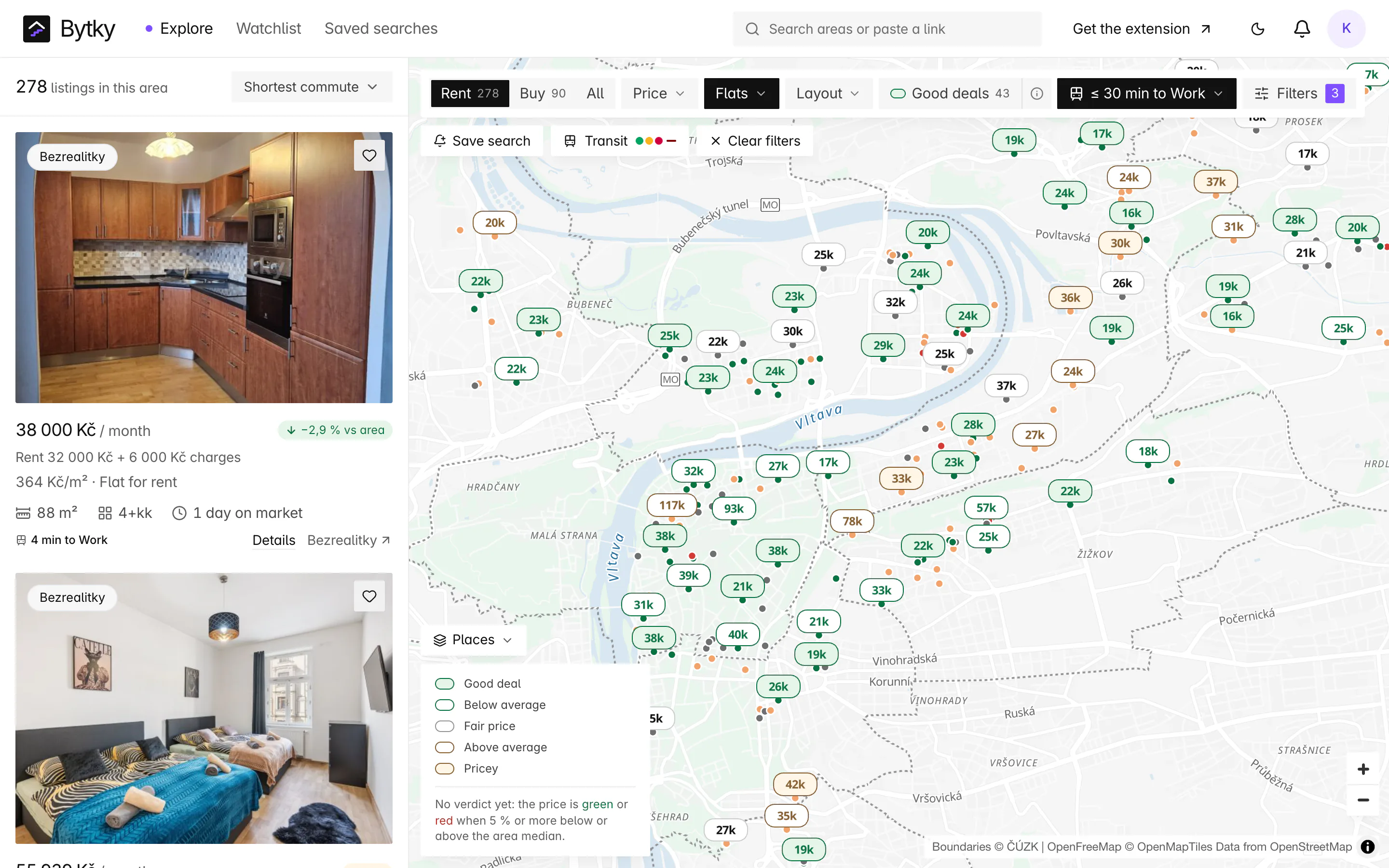
Save any search on the Bytky map, commute limit and good-deals filter included, and Bytky checks every new listing on Sreality and Bezrealitky against it as it arrives. Flats you've saved alert you when their price drops or they're reserved or removed. Alerts arrive in your Bytky inbox, by email (as they happen or as one daily digest) and as browser notifications from the Chrome extension; Telegram is on the way. A free account holds two saved searches.
Updated
What can I get alerts about?
Four things:
- New matches: a new listing that fits one of your saved searches.
- Price drops on flats you saved.
- Reservations and removals on flats you saved.
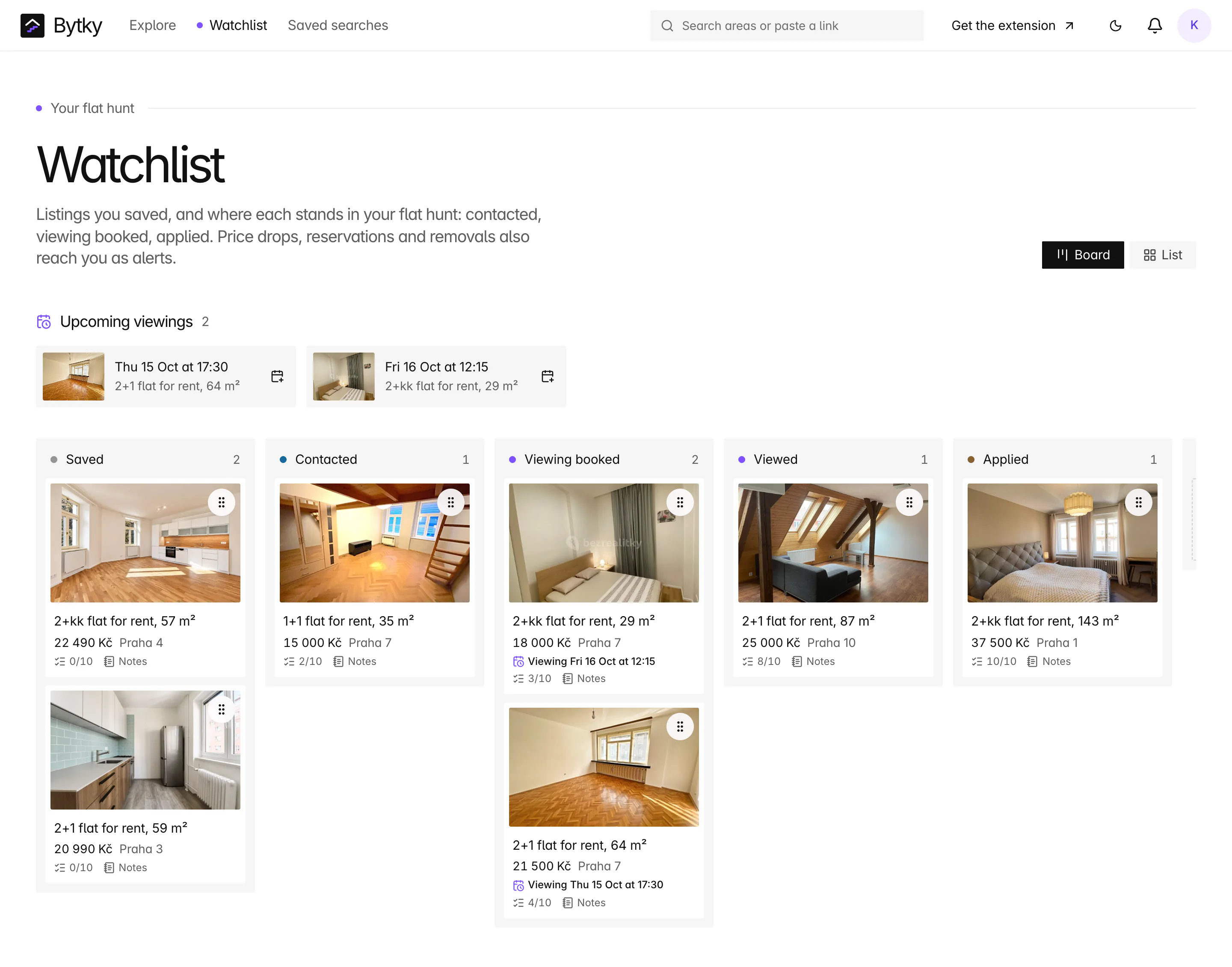
- Viewing reminders from your flat-hunt board, the day before.
A saved search only alerts you to listings that appear after you saved it, and never to the same one twice.
Which filters can a saved search use?
Any filter the explorer has: rent or buy, the kind of property, layout, price or monthly total, size, the area, a commute limit, good deals only, a minimum transit or amenity score, near a park and more. Areas are matched by Bytky's own location check, not the site's label, so a flat the site files under the wrong district still reaches you.
Save a search from the explorer, or from an area page with ‘Alert me about new listings here’, and reopen it in the explorer whenever you like.
How quickly do alerts arrive?
Within minutes of Bytky seeing a listing. New listings on both sites usually reach Bytky within a quarter of an hour, and saved searches are checked as soon as a new listing is placed on the map. Price changes, reservations and removals are caught as Bytky sweeps the sites, in full every few hours. The extension looks for new alerts every 10 minutes.
Bytky Plus, once it's on sale, adds a fast lane: Plus searches are checked against the newest listings on both sites every 2 minutes.
Where do alerts arrive?
Today they reach you through:
- Your Bytky inbox, with the unread count on the bell in the header.
- Browser notifications from the Chrome extension once you sign in to it. More than three at once become one summary, and your quiet hours are respected.
- Email, as each alert happens or as one daily digest at the hour you pick, once your address is verified.
- Telegram, once you connect it in Settings: one daily digest on a free account, or each alert as it happens on Bytky Plus, with buttons to open each listing.
You choose how often they come, and your quiet hours, in Alert settings.
What does an alert show?
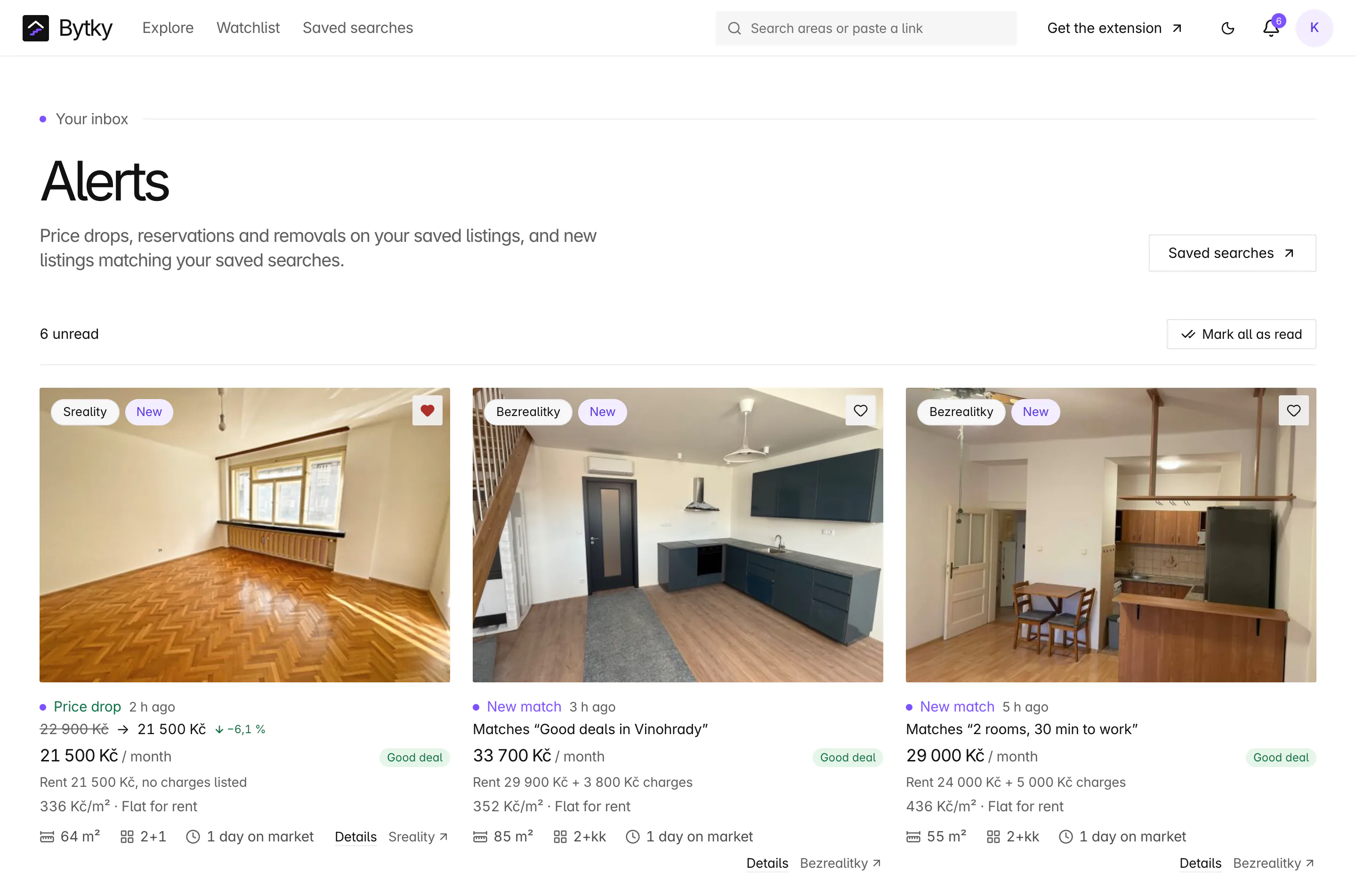
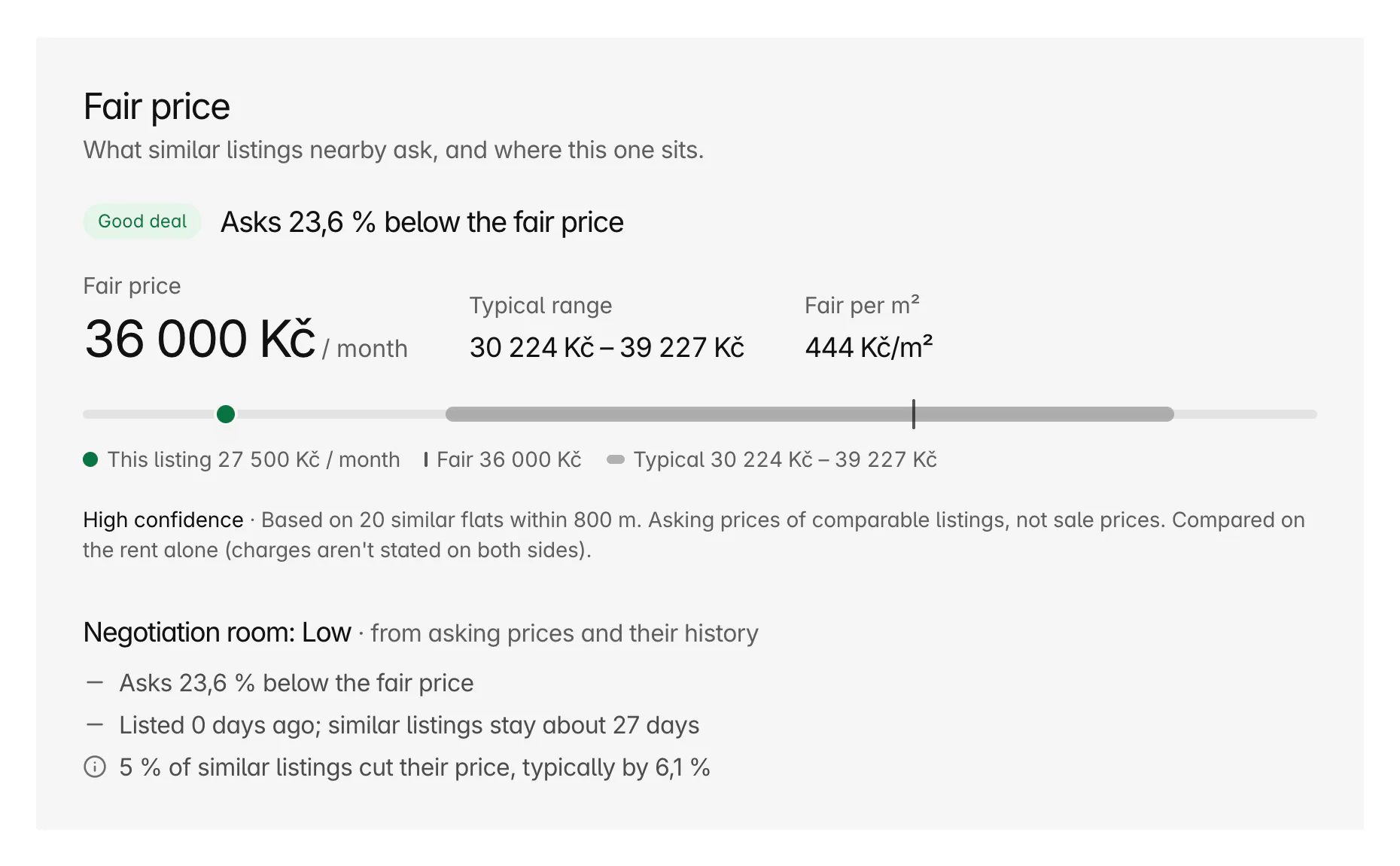
The listing's card, with what changed on top: a price drop shows the old price, the new one and the cut in per cent, and a new match names the saved search it fits. Open an alert and the listing appears beside the inbox, with its fair price and history, and the alert is marked read.
- ‘Mark all as read’ clears the unread count in one go.
- Quiet hours, once you turn them on, hold notifications until they end: 22:00 to 7:00 Prague time unless you change them.
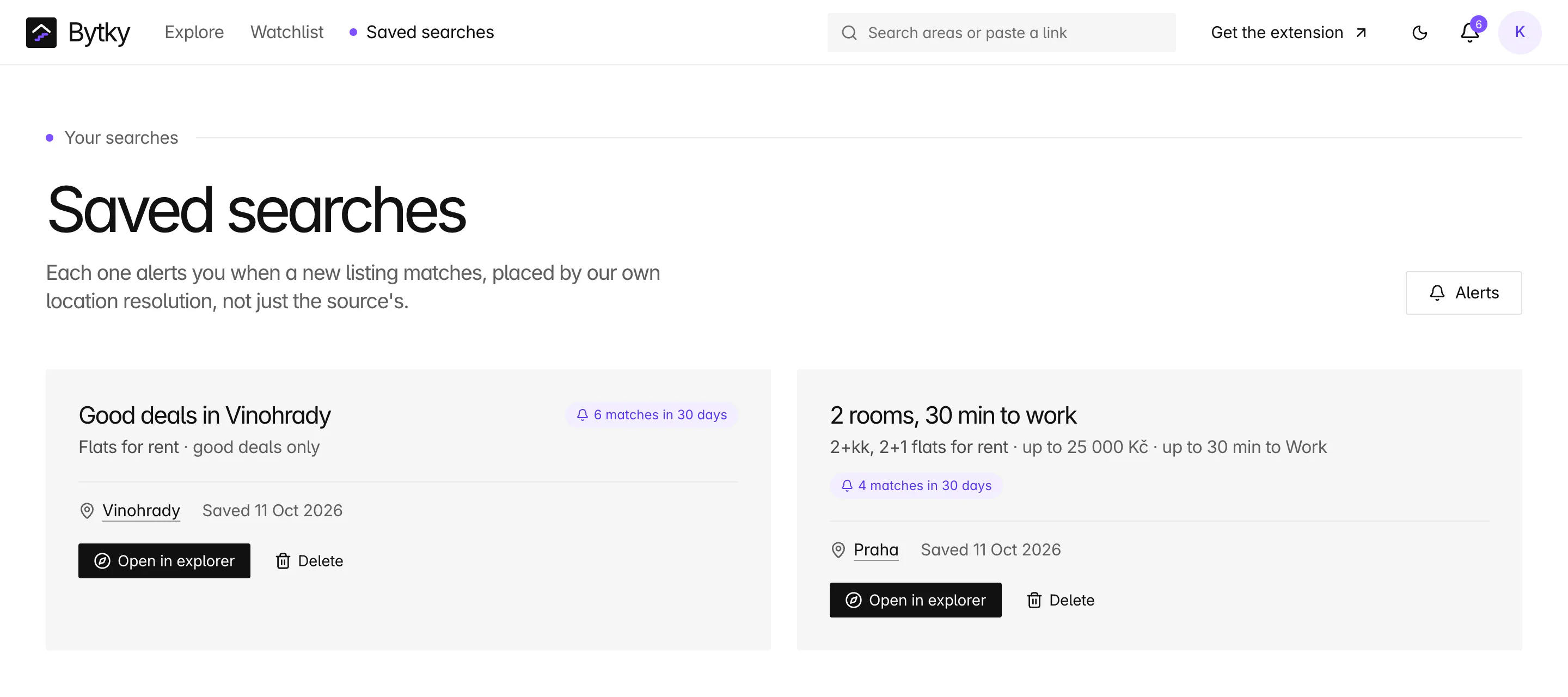
- The saved searches page lists each search with its area and the date you saved it. From there, open it in the explorer or delete it, with an undo.
Coverage and limits
Where does it work, and where does it stop?
What alerts can and can't do today:
- Two saved searches with alerts on a free account. Bytky Plus, with no limit and the fast lane, isn't on sale yet.
- Delivery is the Bytky inbox, email, the extension's notifications and Telegram. On a free account, Telegram brings one daily digest.
- Notifications need the Chrome extension, signed in.
- Sreality and Bezrealitky listings only.
- Saved flats alert you to price drops, reservations and removals; a price rise doesn't send one.
- A saved search with a commute limit stops matching if you delete the place it measures from.
FAQ
Frequent questions
More about Bytky as a whole, from what it costs to where the data comes from.
Read the main FAQDoes Bytky send email alerts?
Yes. Once your email address is verified, alerts come by email as they happen or as one daily digest, whichever you pick in Alert settings. They can come to Telegram too.
How many saved searches can I have?
Two with a free account. Bytky Plus lifts the limit, and it isn't on sale yet.
Will I get alerted about the same flat twice?
Not from the same saved search. It alerts you to a listing once, and only if the listing appeared after you saved the search.
Can I get alerts for good deals only?
Yes. Tick ‘Only good deals’ when you save the search, and it only brings listings the good-value index marks Good deal.
Do alerts cover both Sreality and Bezrealitky?
Yes. Every new listing on either site is checked against your saved searches, and saved flats alert you whichever site they're on.
Related features
Where to go next

Know what a flat is worth before you call.
Free for flat hunters. No install and no account to start.