How do I keep track of flats, viewings and notes while flat hunting?
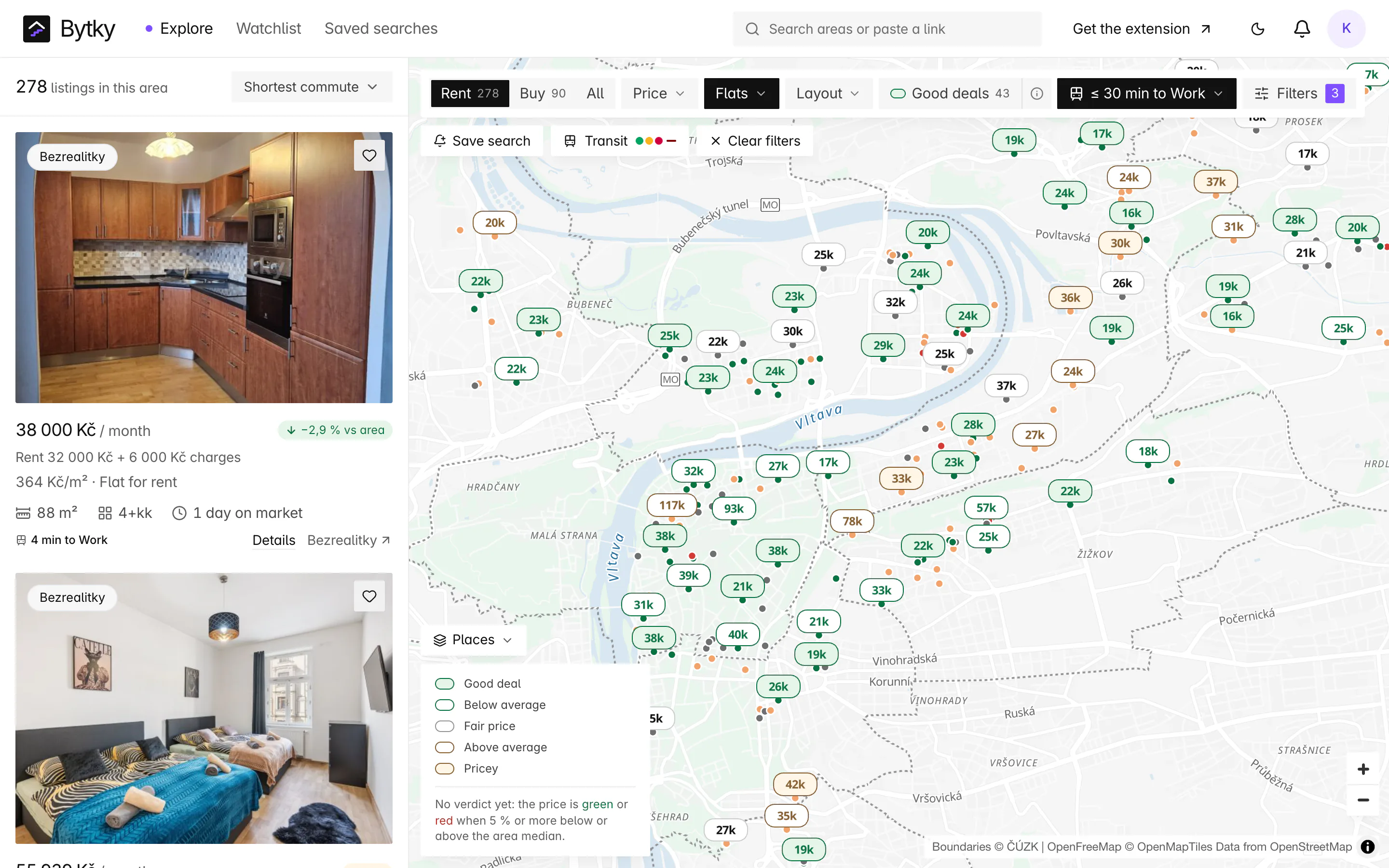
Save a flat from the map, a listing page or the Chrome extension and it lands on your watchlist board. Move it through the stages, from saved and contacted to viewing booked, viewed, applied and offer; book viewings that go into your calendar with a reminder the day before; and keep notes and a must-ask checklist on each flat. Share the board with whoever you're moving with. It's free with an account.
Updated
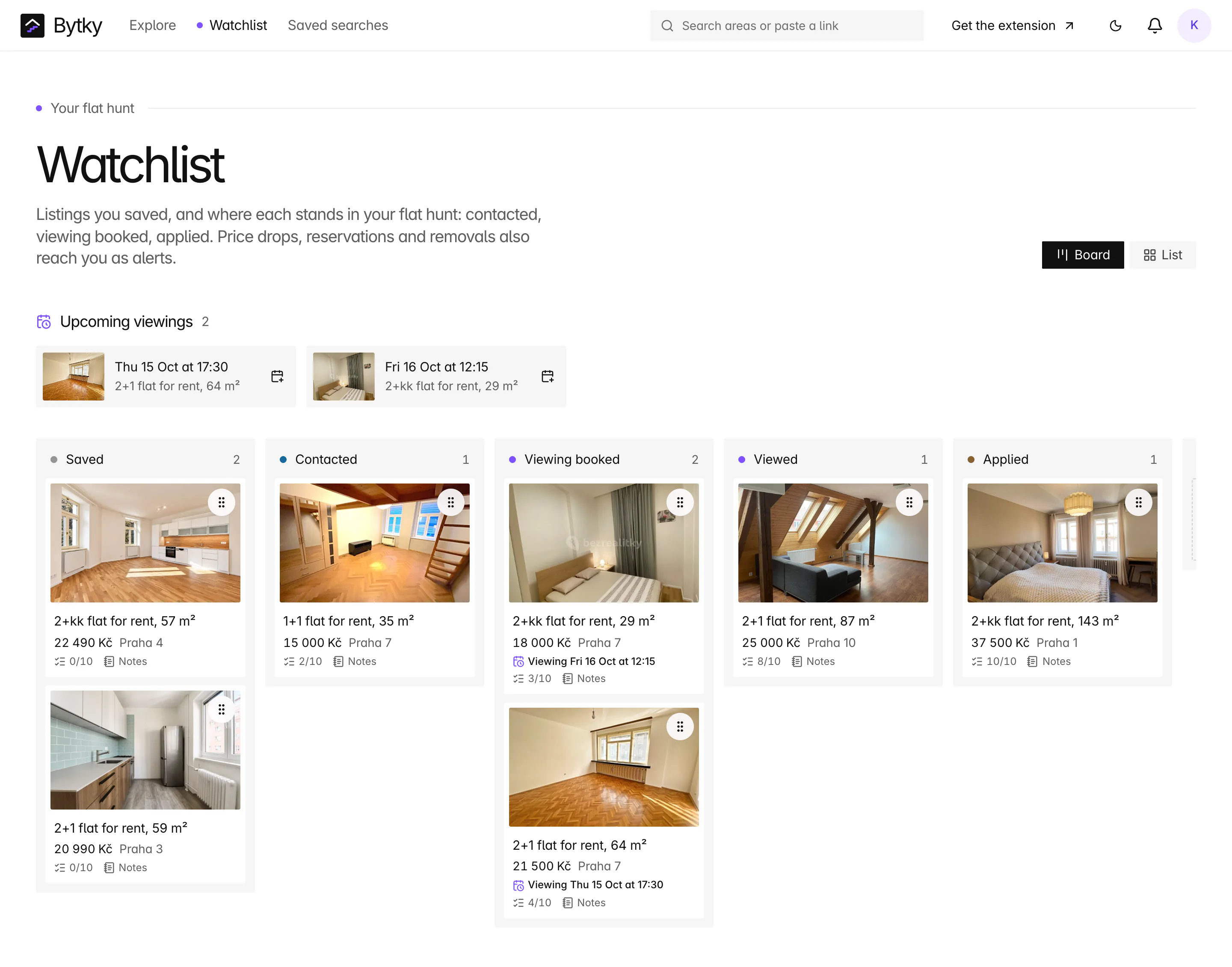
What are the stages?
One column each for Saved, Contacted, Viewing booked, Viewed, Applied and Offer, then Won or Passed once it's settled either way. When you message an agent through the Bytky extension, the flat moves to Contacted by itself; every other move is yours. Each move goes into the flat's timeline, with who made it.
How do I move a flat between stages?
Drag its card. With a mouse, drag it to another column; on a phone, press and hold, then drag. From the keyboard, pick the card up by its grip with Space or Enter, move it with the arrow keys and drop it with Space or Enter again, and a screen reader announces each step. A list view sits beside the board, and Bytky remembers which one you use on each device.
How do viewings work?
Set a viewing time on a flat and it appears in the ‘Upcoming viewings’ strip at the top of the board. From there:
- Add a viewing to your calendar with one click, as an .ics file.
- Or subscribe once to your personal calendar feed, from Settings, and every viewing appears in Google Calendar, Apple Calendar or Outlook. The feed's address is secret, and you can revoke it at any time.
- A reminder lands in your Bytky inbox the day before, for you and everyone sharing the board.
Where do notes and the checklist go?
On the flat itself. Open a flat from the board and its ‘Your hunt’ panel holds the stage, the viewing, your notes, a checklist and the timeline. The checklist starts from a template you set once in Settings, with the questions you ask at every viewing, and each card shows how far through it you are: 3/10, say. Notes take simple formatting and links.
Can I share the board with a partner or flatmates?
Yes. Create a household in Settings and invite them. Flats saved to the household appear on everyone's board, cards show who moved them, viewing reminders go to each of you, and alerts on those flats reach everyone. Flats you save just for yourself stay yours.
What happens when a saved flat changes?
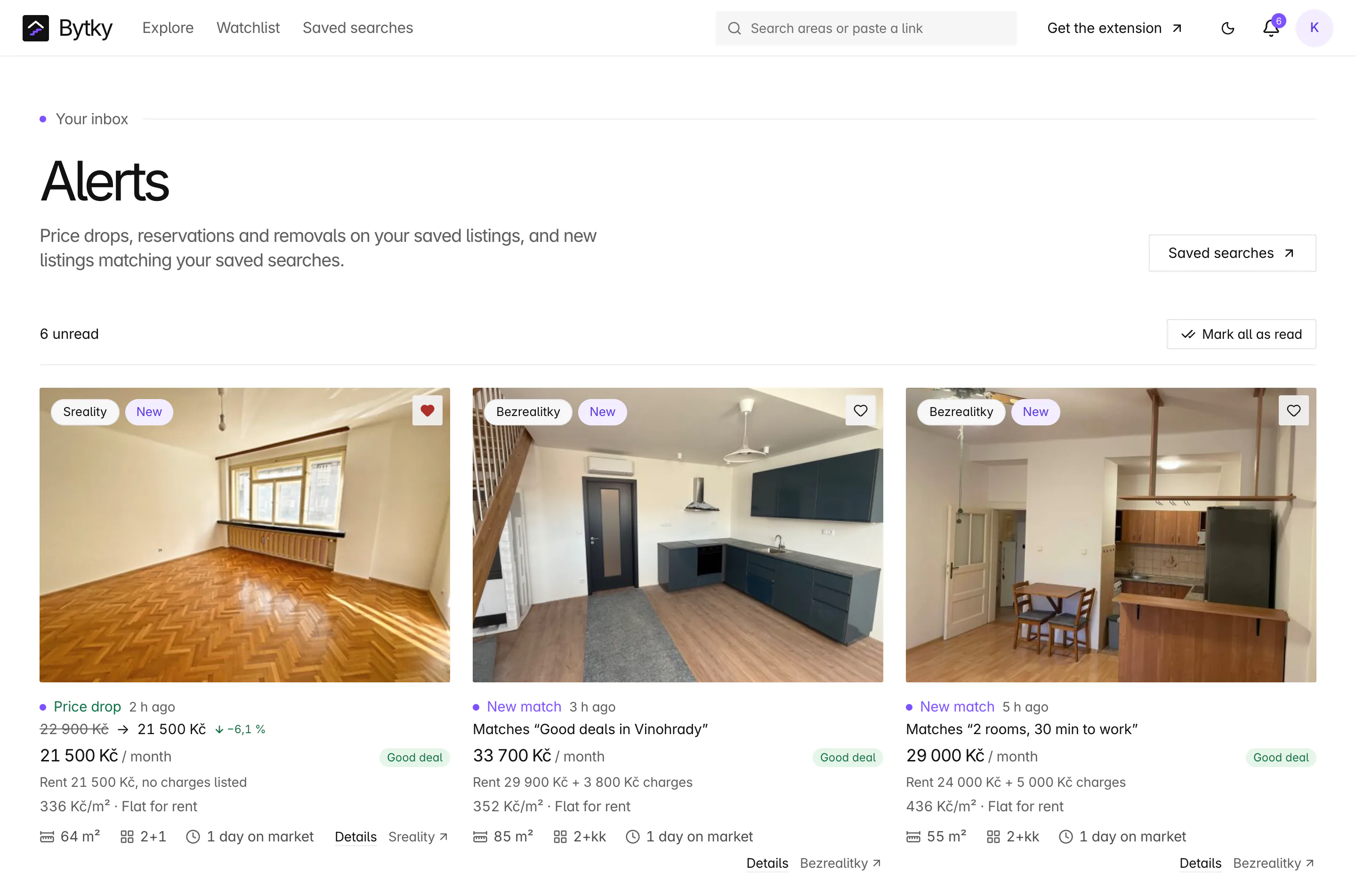
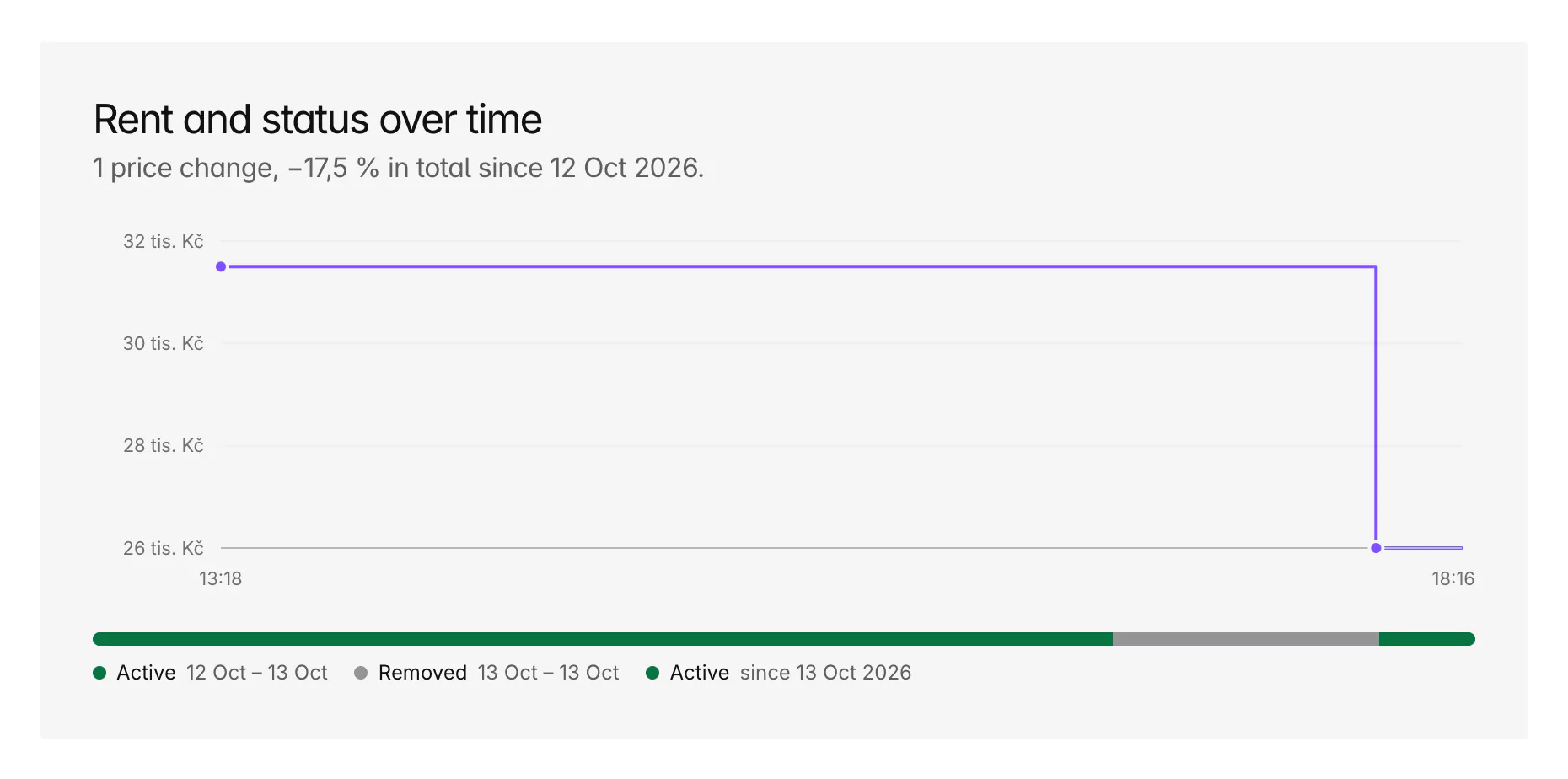
You hear about it. A price drop, a reservation or a removal sends an alert to your Bytky inbox and, with the extension, a browser notification, and the flat's card shows how its price has moved since you saved it.
Coverage and limits
Where does it work, and where does it stop?
The tracker keeps your hunt in one place; it doesn't run it for you.
- It needs a free account, and holds up to 500 flats.
- Bytky doesn't book viewings or message agents for you: you arrange them, and the board keeps track.
- Viewing reminders reach your Bytky inbox, your email with alert emails on, and Telegram once you connect it. The extension doesn't show reminders yet.
- A calendar entry uses the listing's address where it's known, otherwise the area's name.
- Exporting or deleting your account in Settings covers stages, notes, checklists, viewings and the calendar feed.
FAQ
Frequent questions
More about Bytky as a whole, from what it costs to where the data comes from.
Read the main FAQIs the flat-hunt tracker free?
Yes. It needs a free Bytky account and holds up to 500 flats.
Can my partner see the same board?
Yes. Invite them to your household and flats saved to it appear on both boards, with who moved each one. Viewing reminders and alerts reach you both.
Can I add viewings to Google Calendar?
Yes, two ways: download a single viewing as an .ics file, or subscribe to your personal calendar feed from Settings, so every viewing you book appears in Google Calendar, Apple Calendar or Outlook. Calendar apps refresh a subscribed feed on their own schedule.
Does Bytky contact the agent for me?
No. On Sreality, the Chrome extension can fill in the site's contact form from your renter profile, but you press send. When you do, the flat moves to Contacted.
What happens to a flat on my board when the listing is removed?
It stays on your board with your notes, marked removed, and an alert tells you it's gone.
Related features
Where to go next

Know what a flat is worth before you call.
Free for flat hunters. No install and no account to start.